What is the Quasar Advanced Inventory?
The Quasar Advanced Inventory (qs-inventory) is a FiveM inventory script by Quasar Store. It has everything of the Quasar Inventory — drag and drop, shops, stashes, trunks, crafting, weapon attachments and tints, clothing as items, trading and two in-game admin panels — and turns it into a full menu for your players: an Information page with a city map and a realistic 3D map, a skill tree, missions, the game settings with every key bind, 20 style templates, a quick wheel and private trading.
What does the advanced version add to the Quasar Inventory?
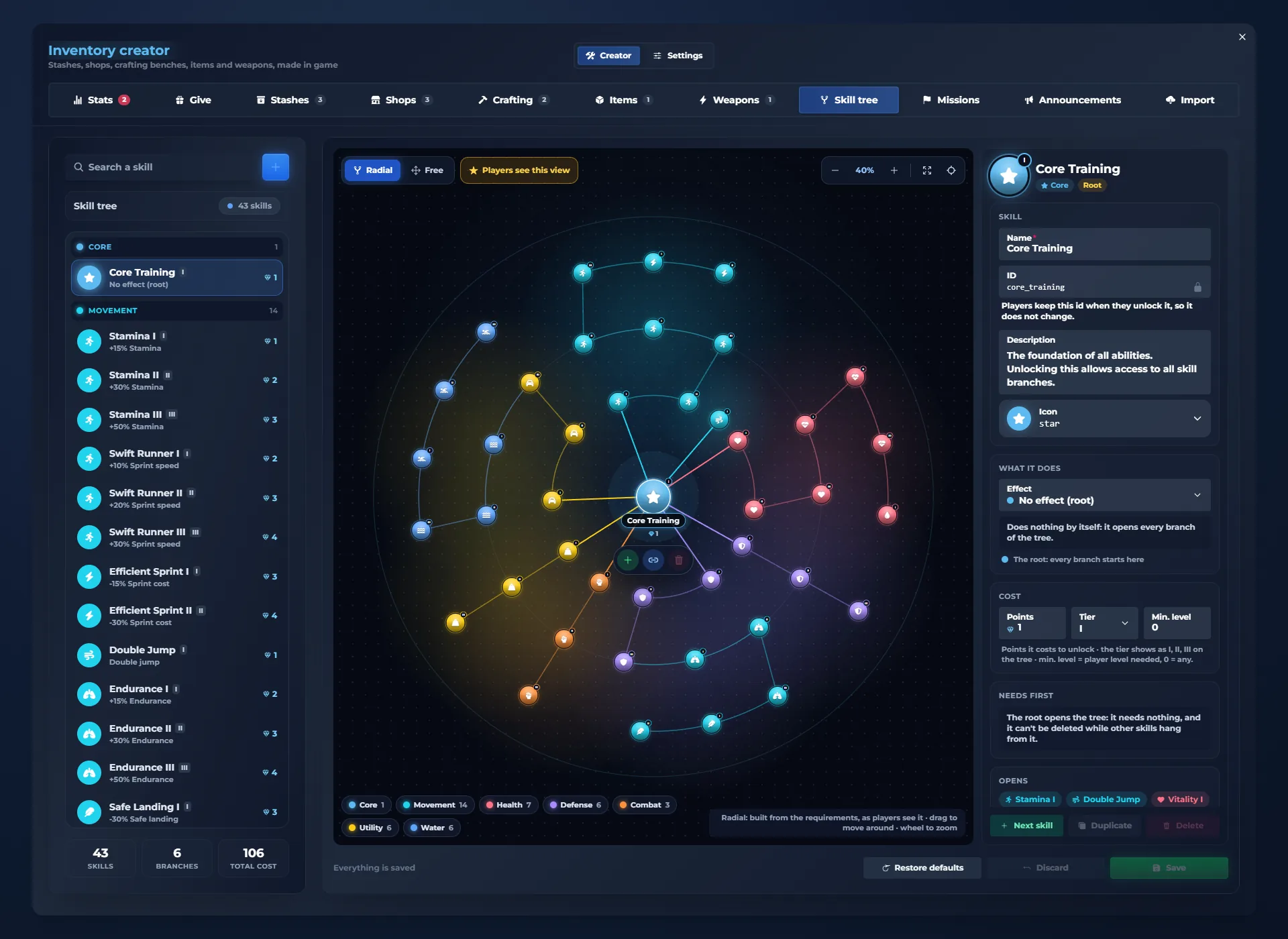
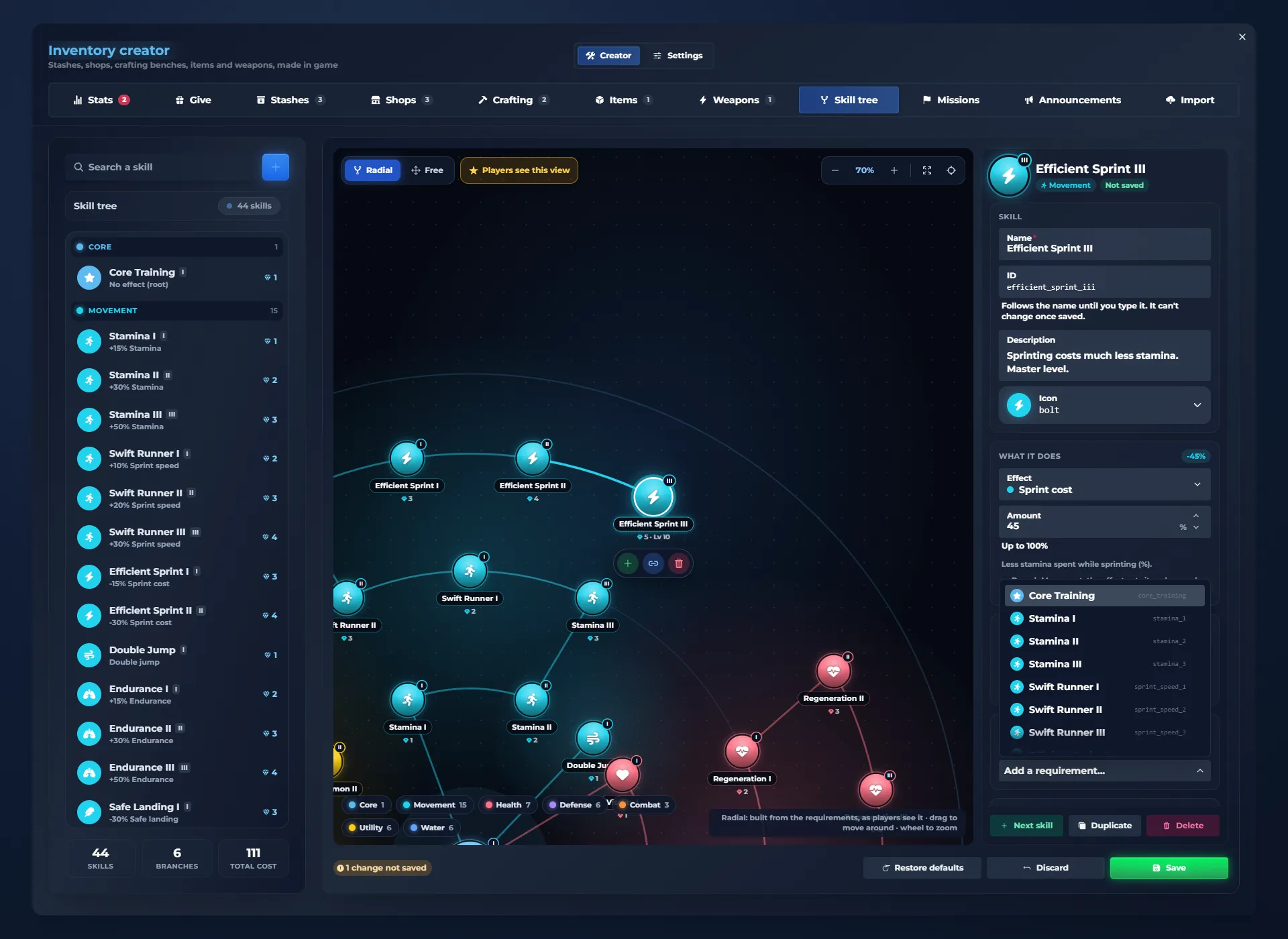
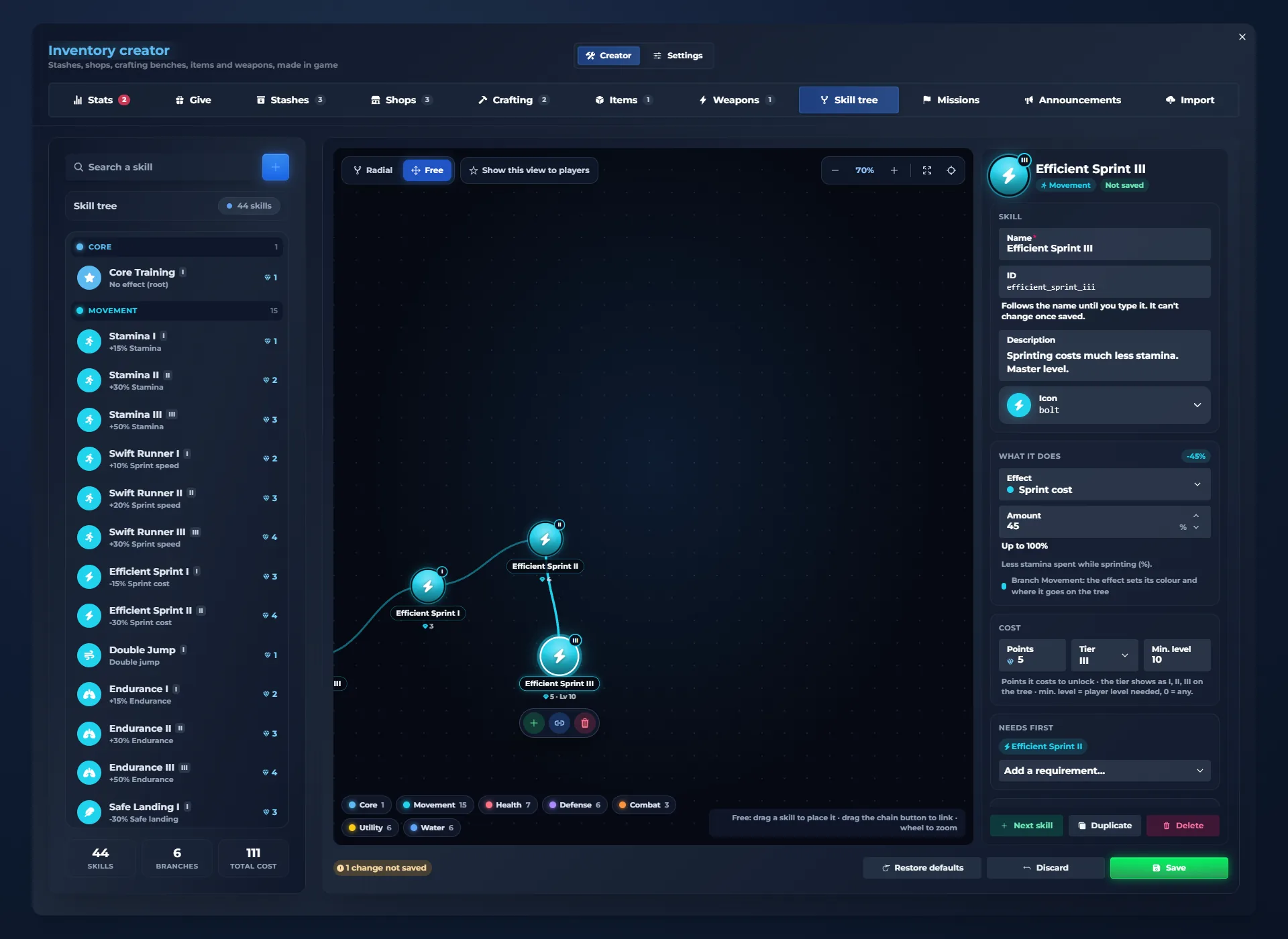
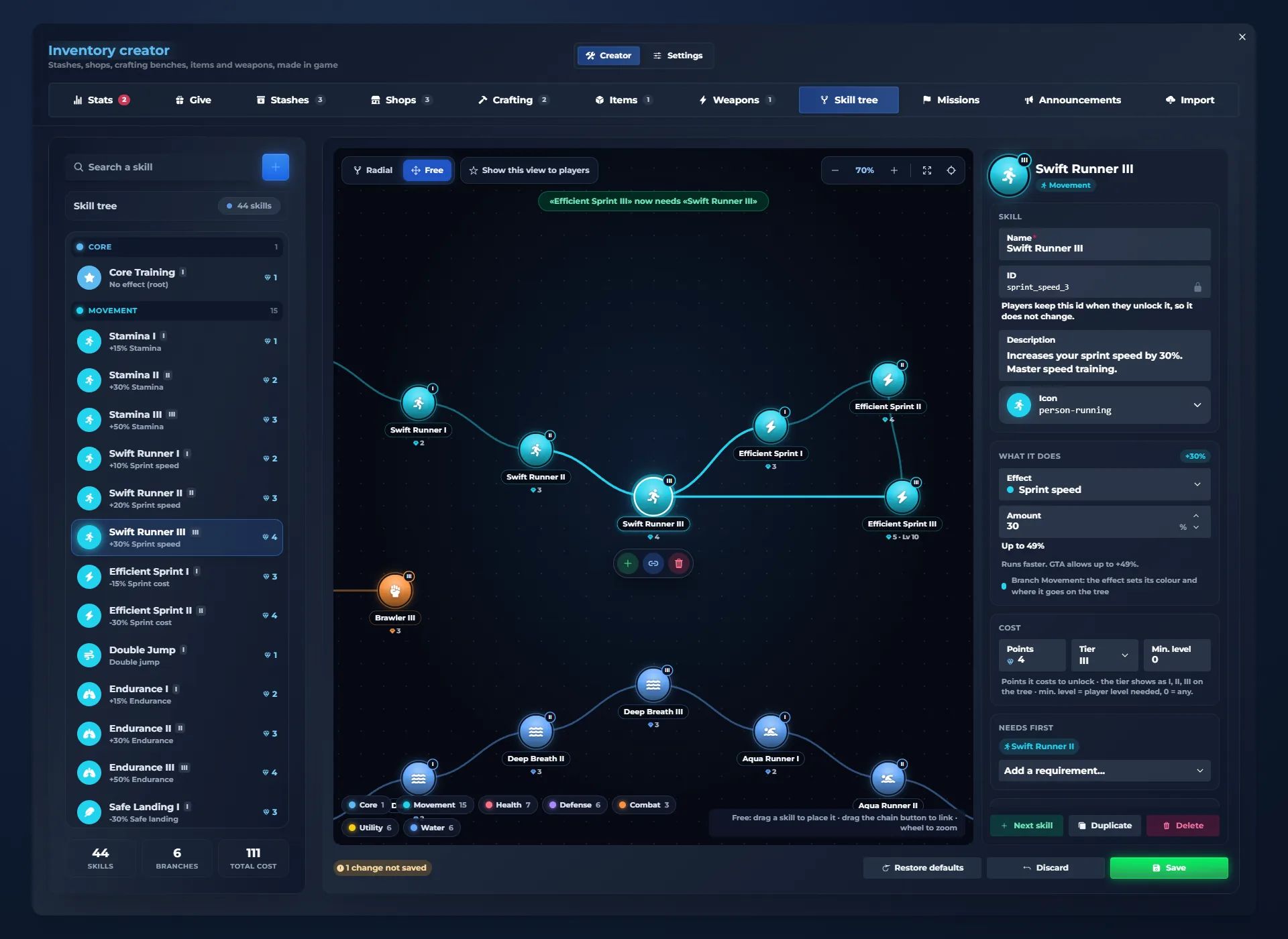
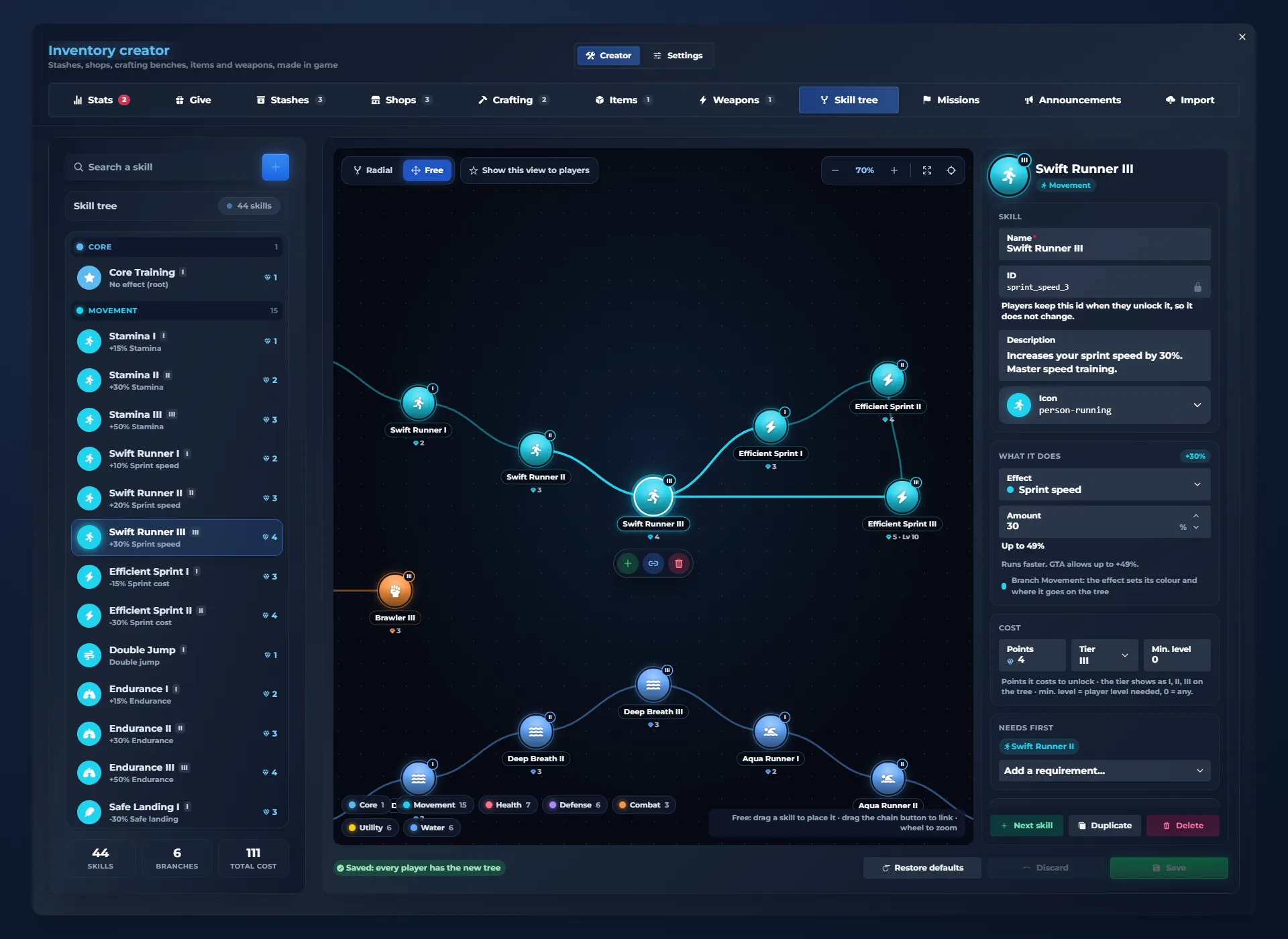
Pages that go beyond the inventory: Information (player card, level, money, server news and a city map with places, waypoints and a realistic 3D map), a skill tree with levels and XP, missions with XP rewards, and a GTA-style settings menu with display, graphics, audio, voice, camera and the key binds of every script. It also brings 20 style templates that restyle every page, a GTA-style quick wheel, private trading, and creator tabs to edit the skill tree, the missions and the announcements in game.
Does it work with ESX, QBCore and Qbox?
Yes. The Quasar Advanced Inventory works on ESX, QBCore and Qbox servers, with the same features on all three frameworks.
Can it replace the GTA pause menu?
Yes. ESC can open the inventory on its Information page instead of GTA’s pause menu: your character, level and money, the server’s announcements and a city map with your places, blips and route. It is on by default, and the server can turn it off to keep GTA’s own pause menu.
How do the skill tree and missions work?
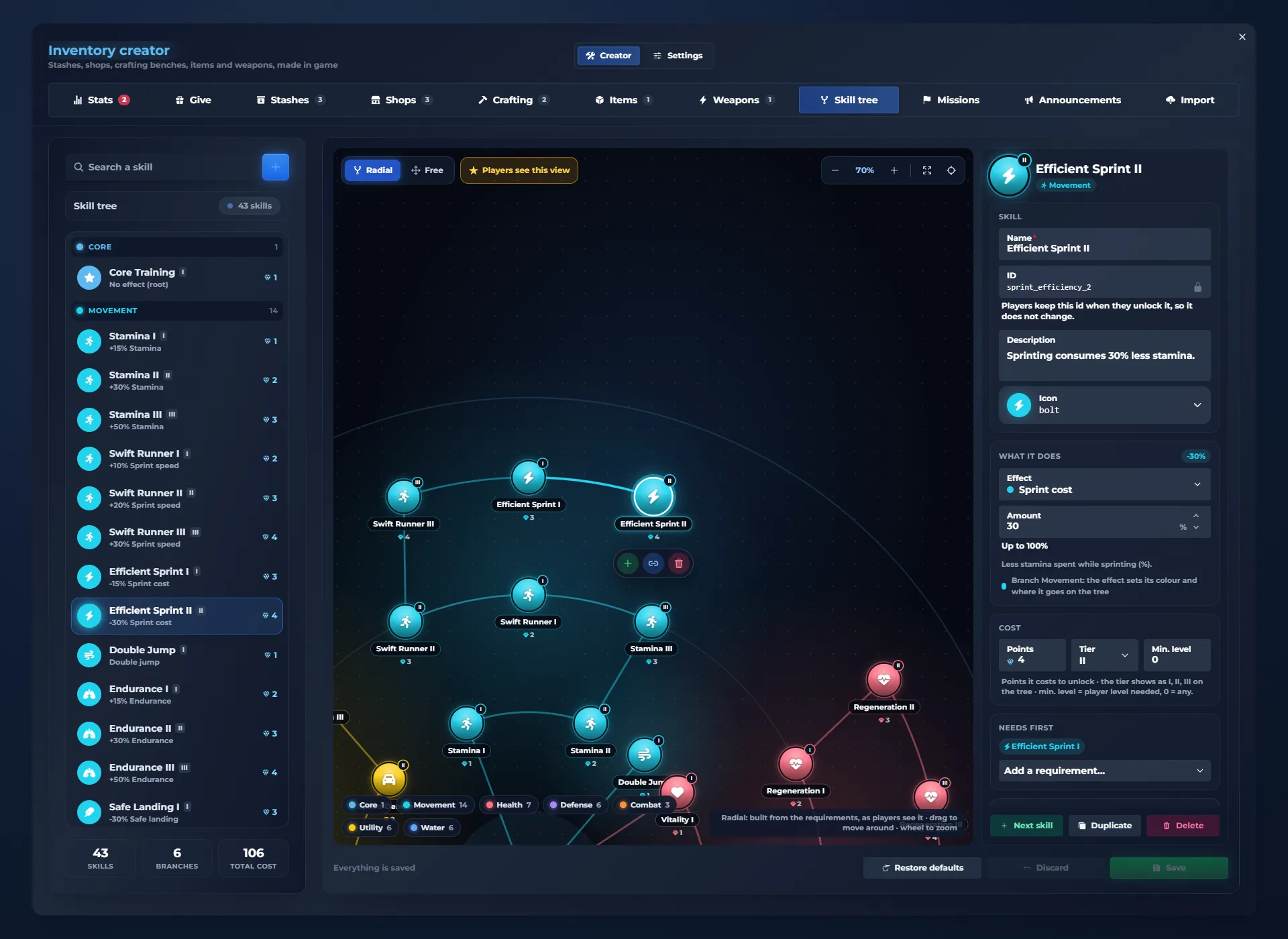
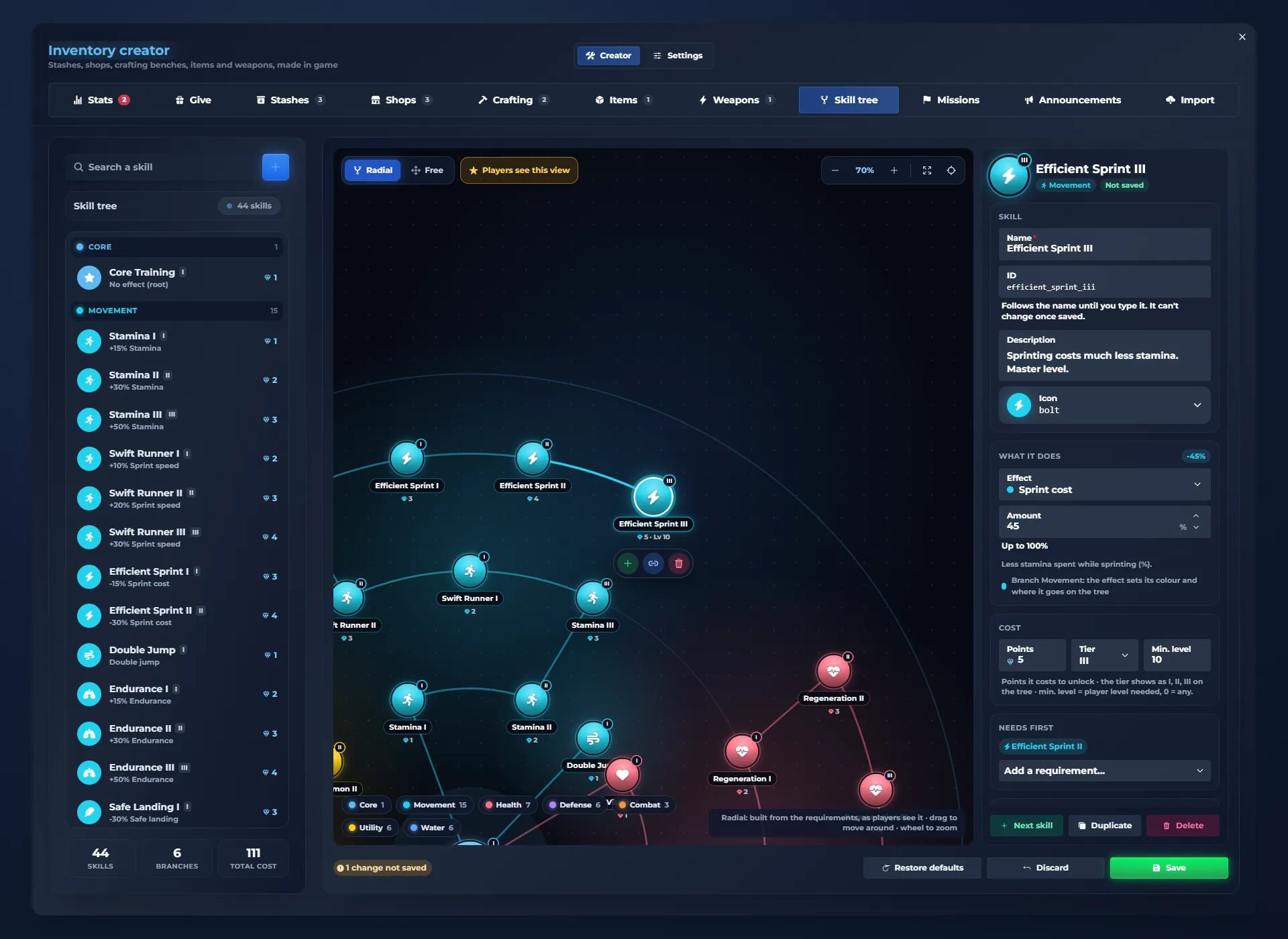
Players earn XP, level up and get skill points to unlock skills in branches such as movement, health, defense, combat, utility and water. Missions give XP when they are completed and claimed. Admins edit the whole skill tree, every mission and the pause menu announcements from /inventorycreator, without files.
Can I switch from ox_inventory, qb-inventory or the ESX inventory?
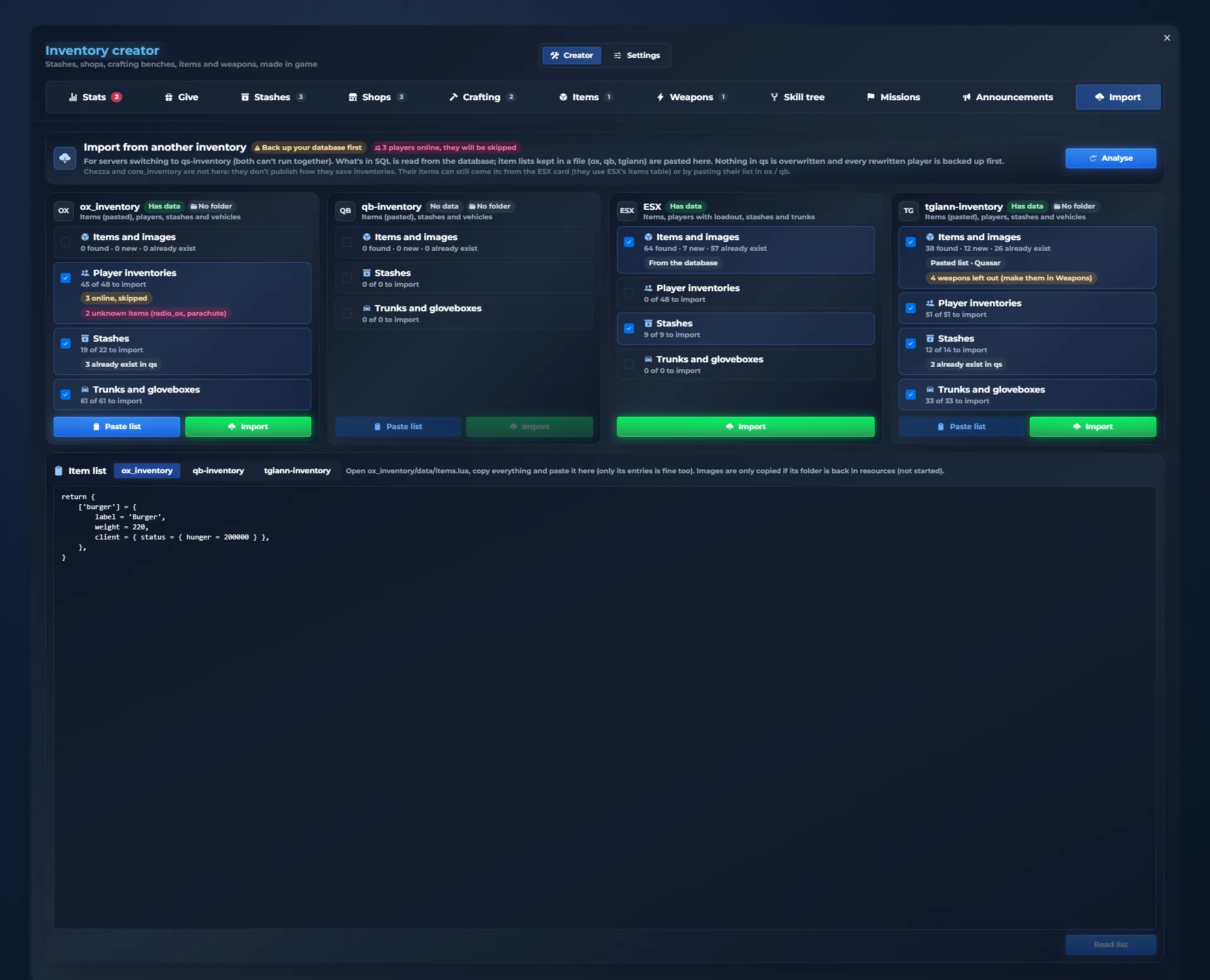
Yes. The importer in /inventorycreator brings your items, player inventories, stashes and trunks from ox_inventory, qb-inventory, ESX and tgiann-inventory. Inventories, stashes, trunks and ESX items are read from your database; ox, qb and tgiann item lists are read from the old resource’s folder or pasted in the panel. It never overwrites what already exists, skips players who are online and saves a copy of each player’s inventory before rewriting it.
Do I have to edit config files?
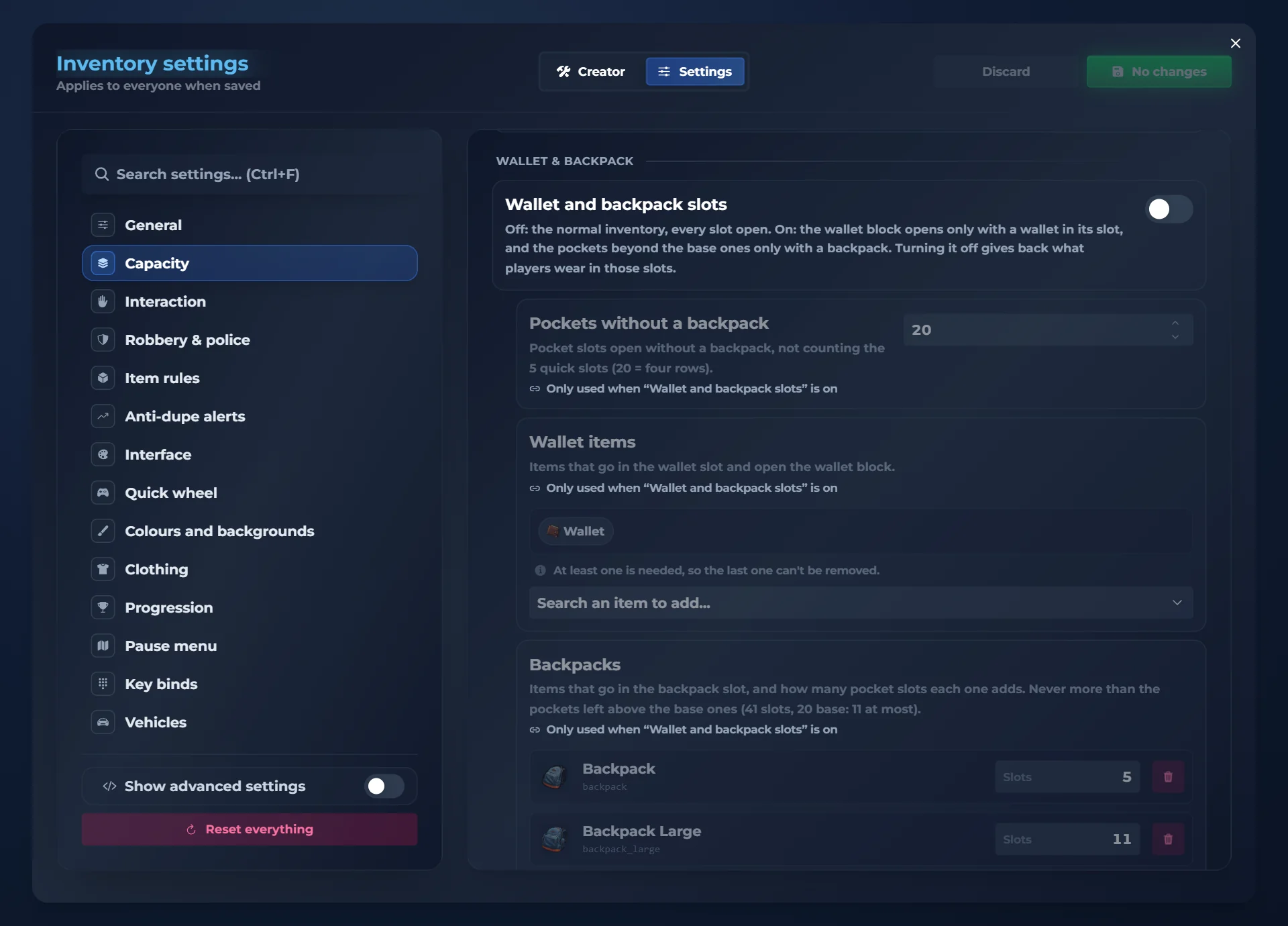
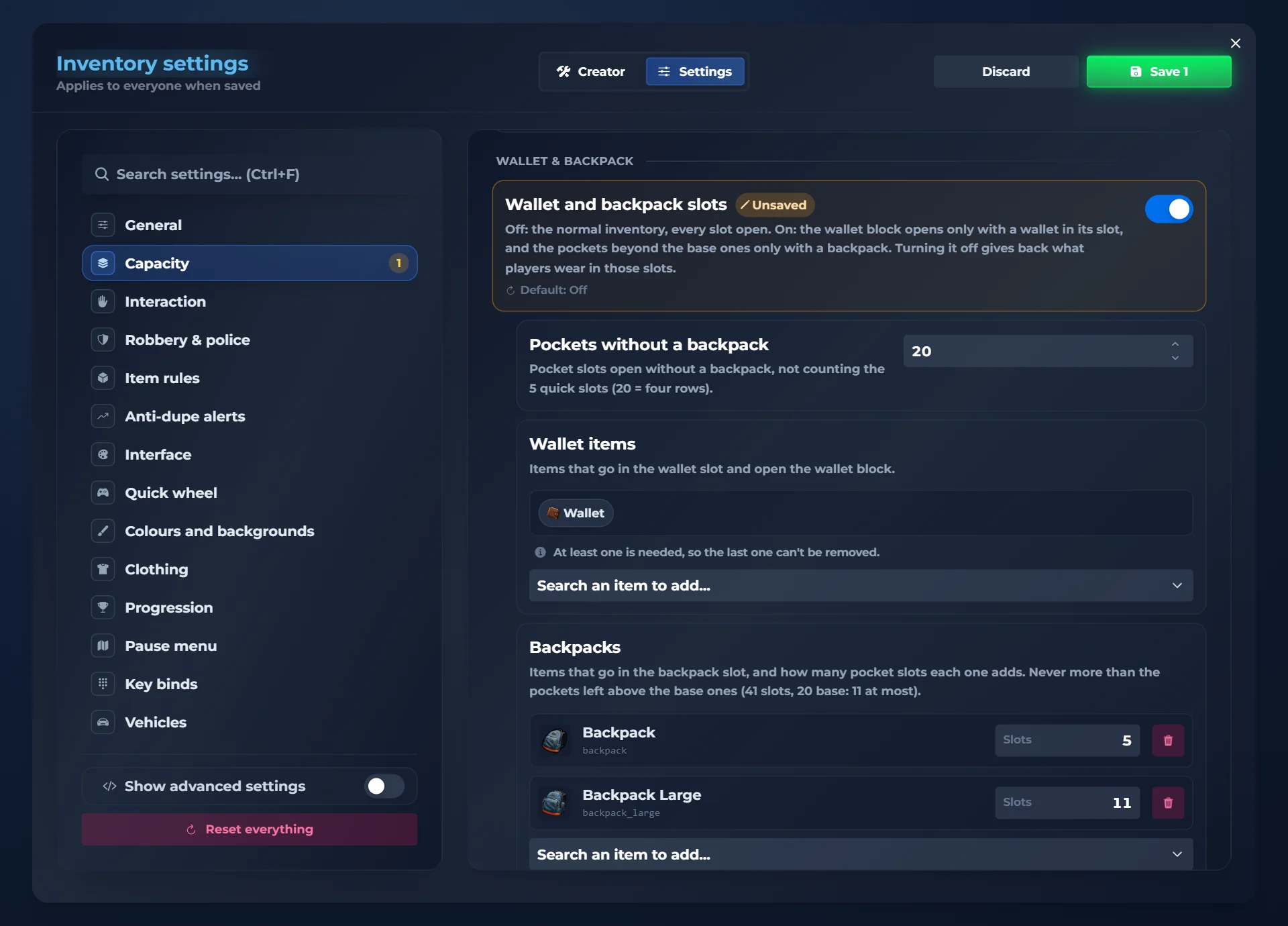
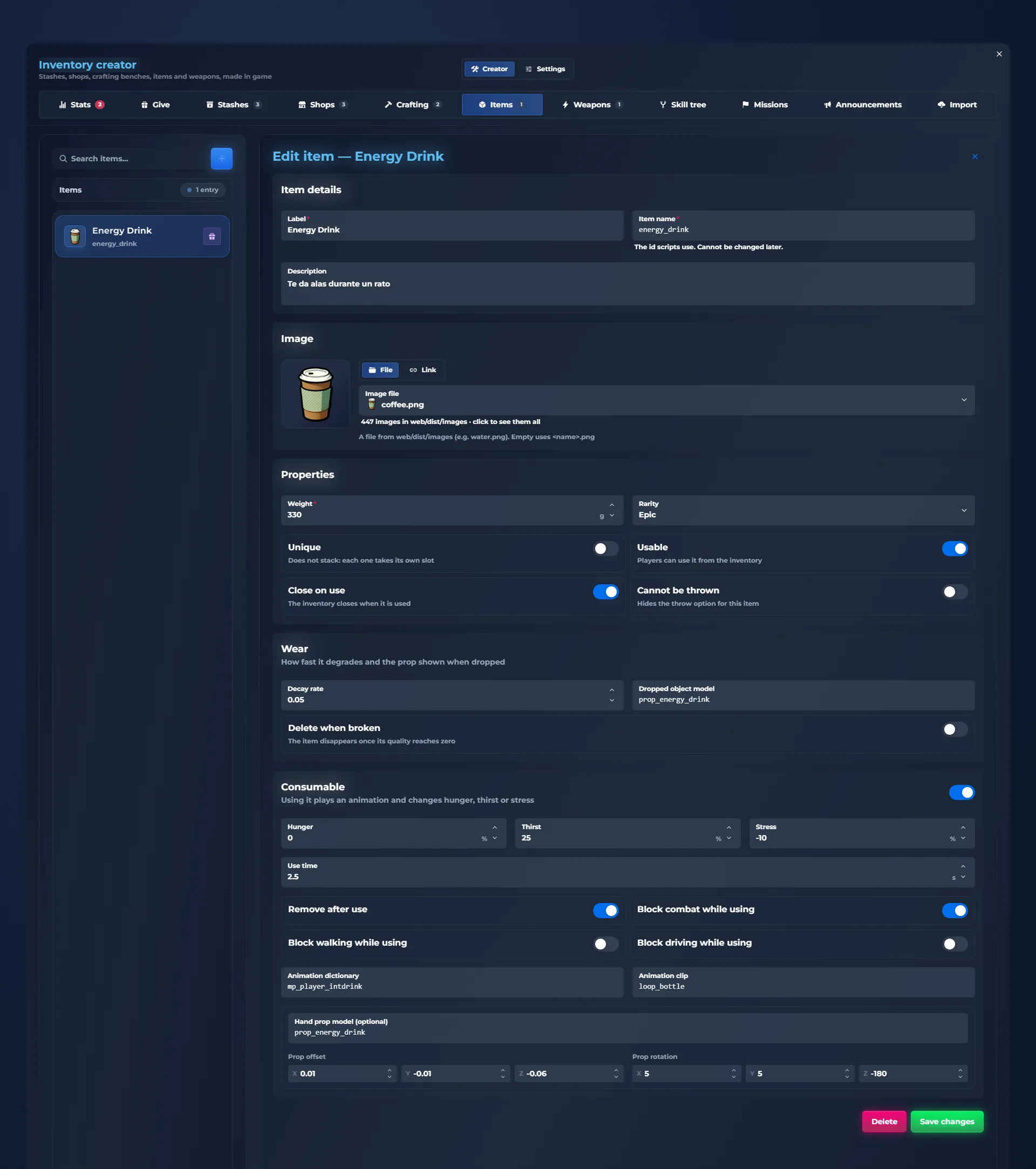
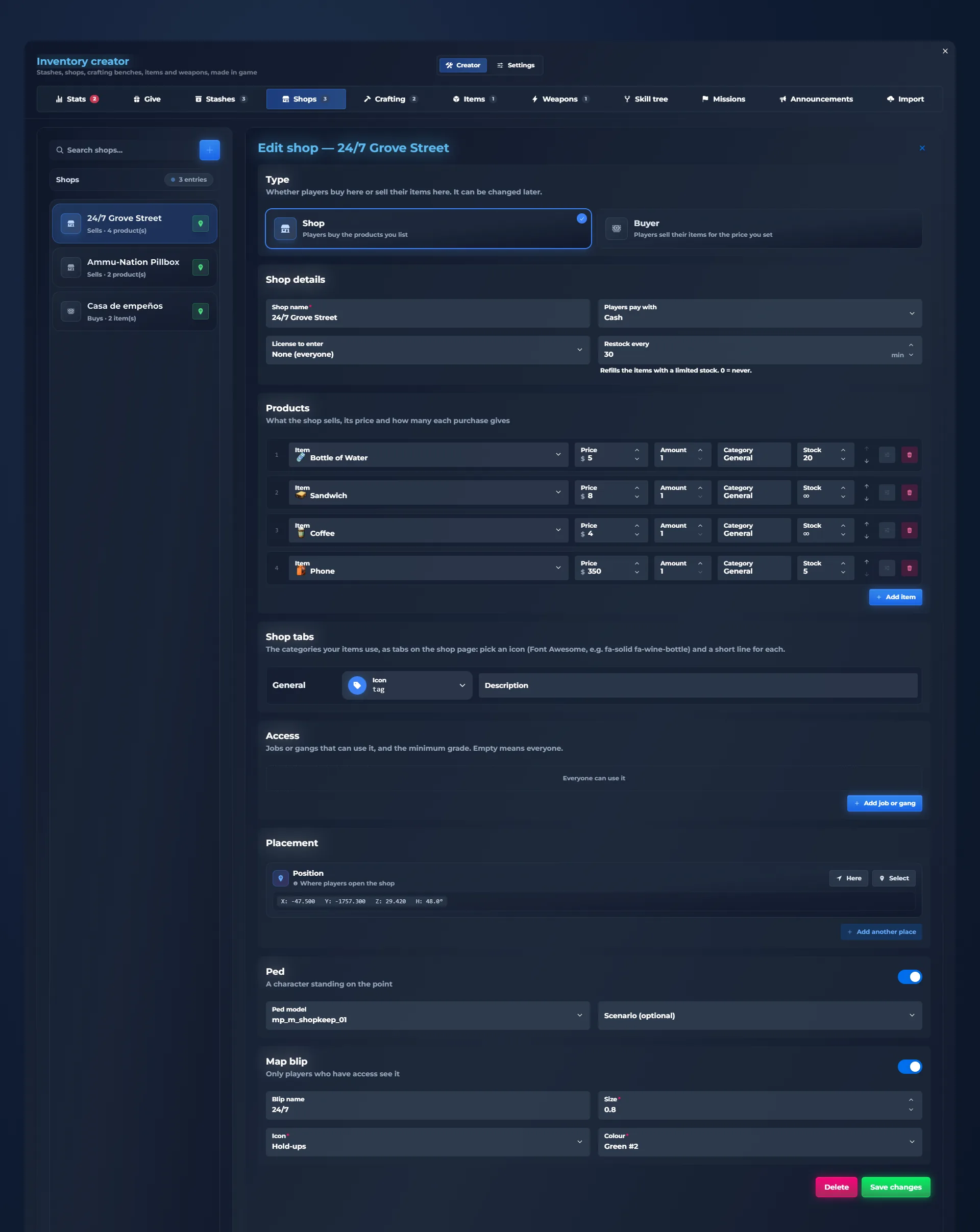
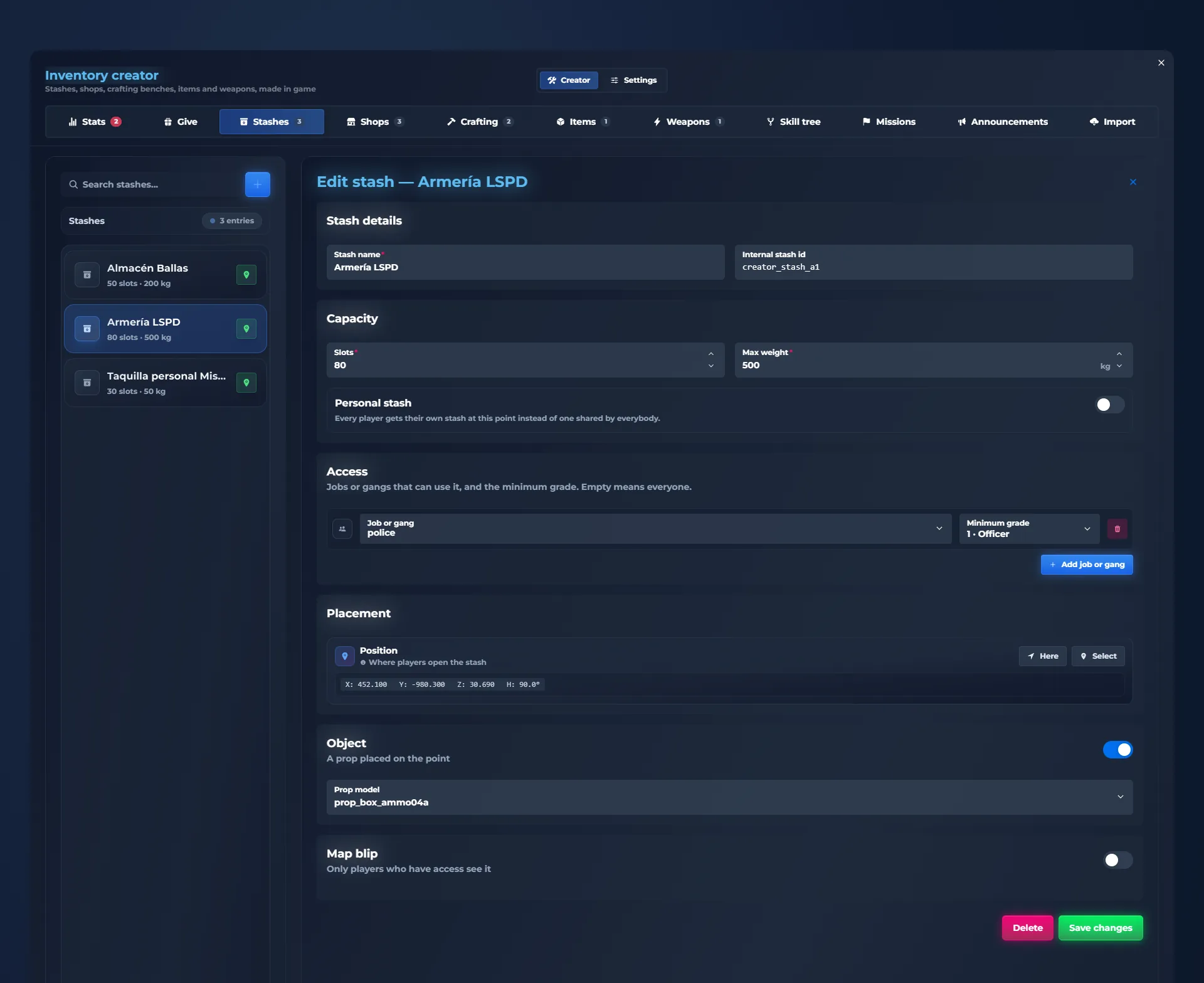
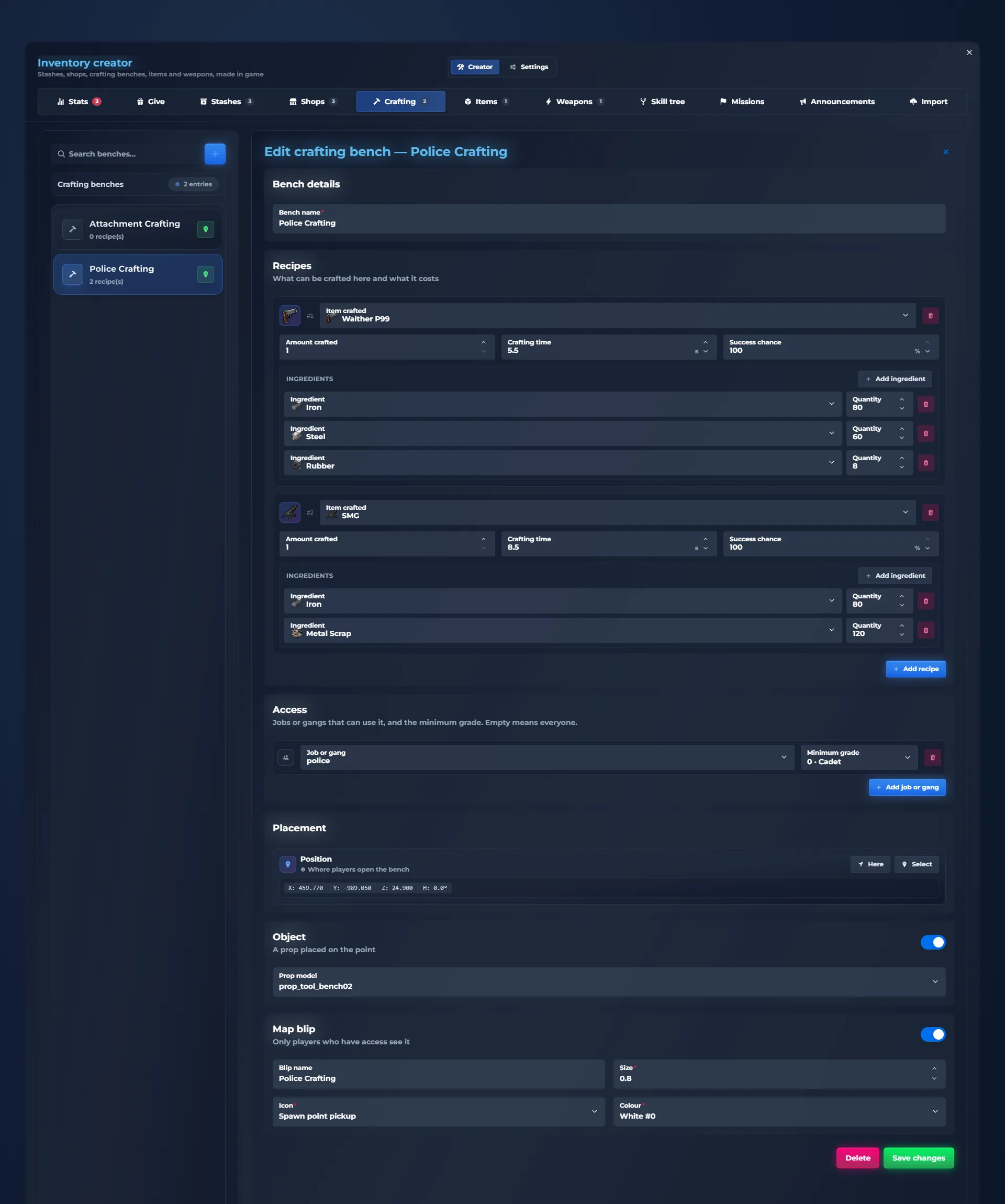
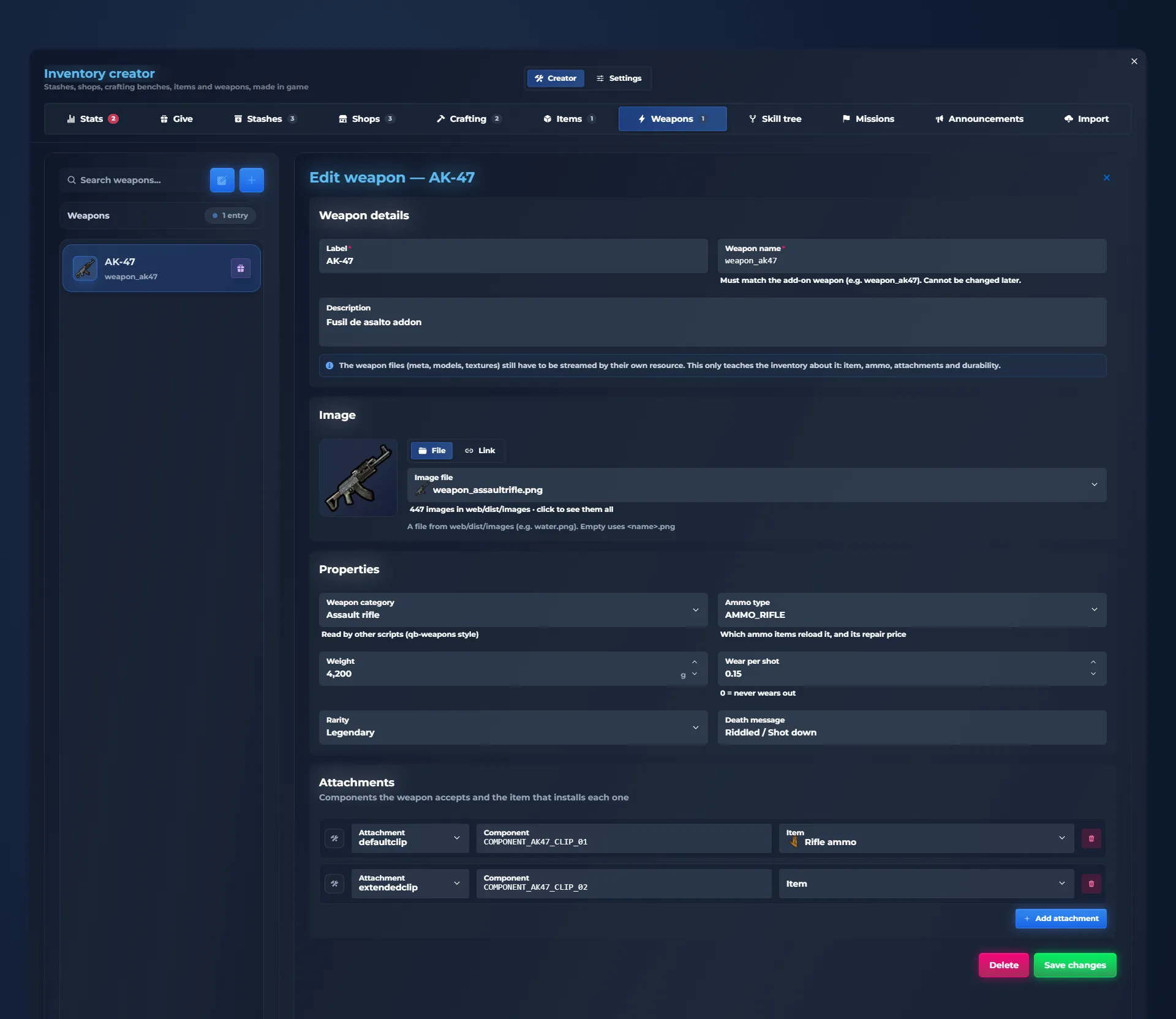
No. There are two in-game admin panels: /inventorycreator to create items, weapons, shops, stashes, crafting benches, skills, missions and announcements, and /inventoryconfig with 21 settings sections, a search, an advanced mode and restart notices. Save, and most changes apply instantly, without restarting the server.
Can I create FiveM shops, stashes and crafting benches in game?
Yes. In /inventorycreator you create shops with prices, limited stock, categories and licences, buyers that pay for players’ items, stashes with their own slots and weight (shared or personal), and crafting benches with recipes, crafting time and success chance. You choose which jobs or gangs can use them, mark the spot where you stand and add a blip.
Does it have weapon attachments, ammo and durability?
Yes. Every weapon has a serial number, loaded ammo and durability that wears as you shoot. The attachments screen shows the weapon in front of you: drag an attachment onto the weapon to fit it and drag a fitted one to the bin to remove it. Ammo is an inventory item, weapons can be repaired, and custom tints are painted from your own image.
Are clothes items?
Yes. Clothing is stored as inventory items: players take clothes off, store them, sell them or give them away, and dress up by dragging each piece into its slot on the clothing page, next to their character.
Can players trade items safely?
Yes. Trading is private and has double confirmation: a player sends a request, the other accepts, each one puts in their offer and only sees what the other offers, and nothing changes hands until both confirm. Any change resets both confirmations, and moving apart cancels the trade.
Can each player customize the inventory?
Yes. In Settings → Inventory, the style studio offers 20 complete style templates that restyle every page, plus finishes, 8 box shapes, effects, colours, backgrounds, fonts, particles and animations, and a performance mode for modest PCs. Players save up to three looks and share them with a code. The server sets the default template.
Does it have a hotbar and a quick wheel?
Yes. The first five slots are the hotbar, used with keys 1 to 5 without opening the inventory. Each player can switch to a GTA-style quick wheel instead: hold the key, point at a slot with the mouse and let go to use it.
How many languages does it support?
It includes 41 languages, all of them complete: the inventory, the pause menu, skills, missions, alerts and the admin panels.






















 01
01 02
02 03
03 04
04 05
05 06
06 07
07 08
08 09
09


Trading · Item alerts and player trading You always know
what happens.
Alerts for what comes in and goes out, required items for your scripts and safe, private player-to-player trading.
What comes in and goes out
Every time you get, lose or use something, an alert shows the amount, in green, red or blue. If it repeats, it adds up in the same alert. Each player picks which corner they want it in.
Required items
When a script asks for something (a lockpick to open, a drill to rob…), you see exactly what you need at the bottom.
Ask for a trade
Right-click an item and "Trade": pick one of the players near you, with their distance, and your request is on its way. That item goes straight into your offer.
Someone wants to trade
When someone asks you, a card shows who it is, with a countdown. E accepts, G declines. If they walk away, the request expires.
Trade with double confirmation
Your items, your offer, their offer and a summary of what you give and what you get. Nothing changes hands until both confirm, and any change to an offer resets both confirmations.
Their inventory stays private
You see how many slots the other player has in use, but blurred: you only know what they offer. Nobody can snoop on your pockets with a trade.
You know if it fits
The summary works out your weight after the trade. If you couldn’t carry it all, it warns you in red and won’t let you confirm.
A trade from start to finish
You drag your repair kit into your offer. Bob puts in two gold bars and a Rolex and confirms. You confirm and the swap happens: once it closes, the alerts tell you what went out and what came in.
If someone cancels or walks away, everyone keeps their own.
What comes in and goes out
Every time you get, lose or use something, an alert shows the amount, in green, red or blue. If it repeats, it adds up in the same alert. Each player picks which corner they want it in.