What is Quasar Inventory (qs-inventory)?
Quasar Inventory, or qs-inventory, is a FiveM inventory script by Quasar Store. It replaces your server’s inventory with a drag and drop inventory that includes shops, stashes, trunks, crafting, weapon attachments and tints, clothing as items, player trading, 12 visual styles, 41 languages and two in-game admin panels.
Does qs-inventory work with ESX, QBCore and Qbox?
Yes. qs-inventory is a FiveM inventory for ESX, QBCore and Qbox servers, with the same features on all three frameworks.
Can I switch from ox_inventory, qb-inventory or the ESX inventory?
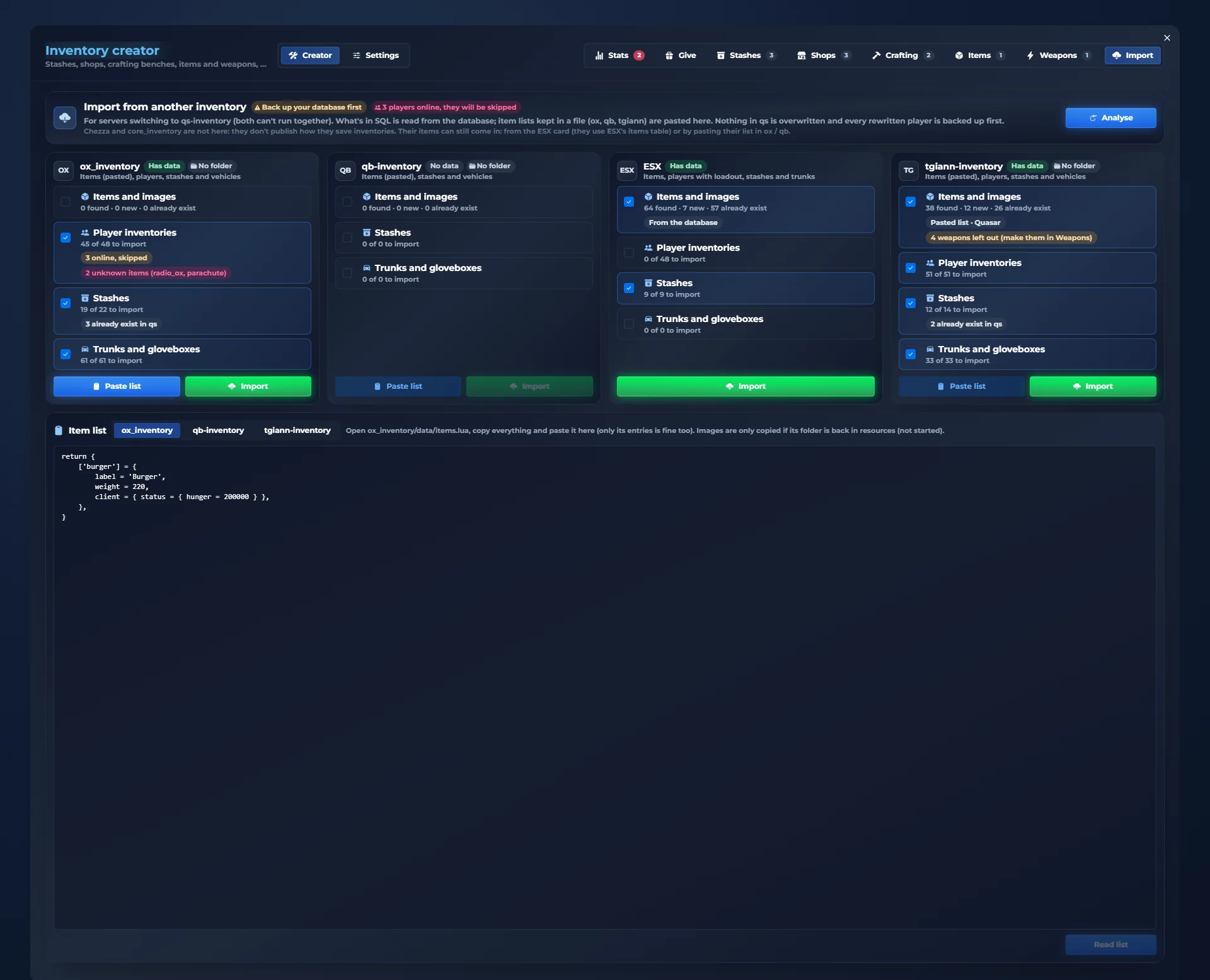
Yes. The importer in /inventorycreator reads your database and brings your items, player inventories, stashes and trunks from ox_inventory, qb-inventory, ESX and tgiann-inventory. It never overwrites what already exists in qs-inventory, skips players who are online and saves a copy of each player’s inventory before rewriting it.
Do I have to edit config files?
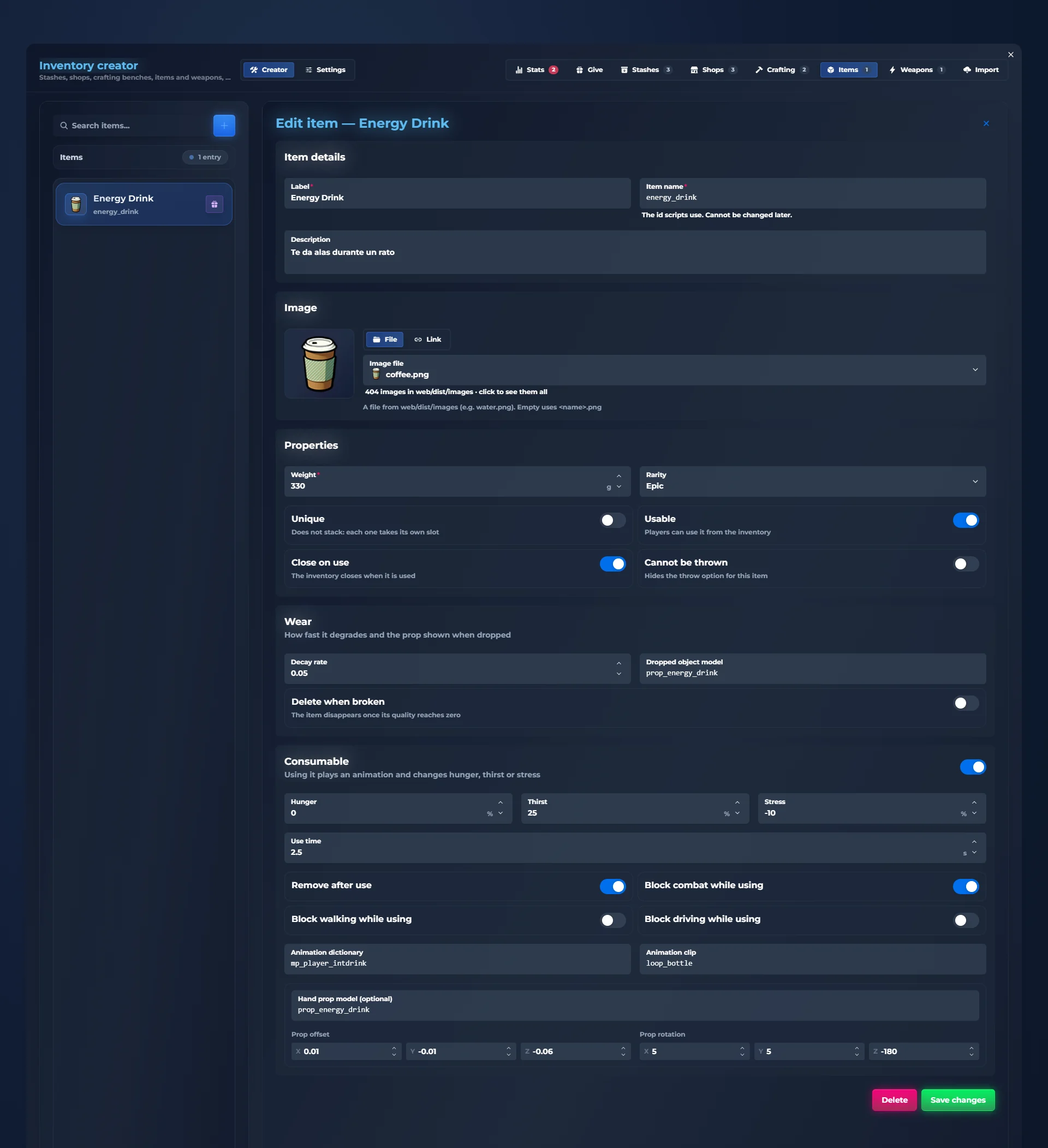
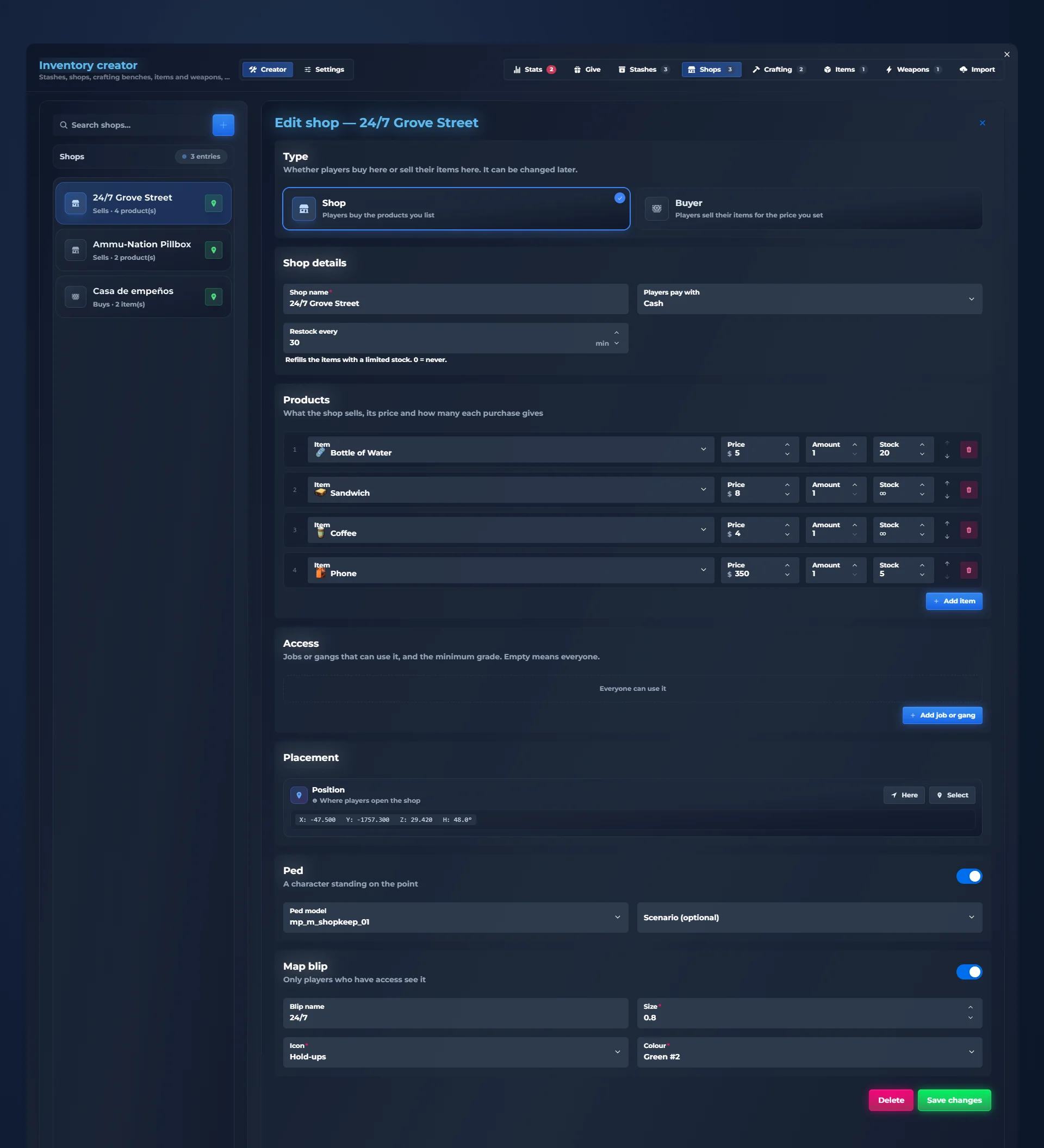
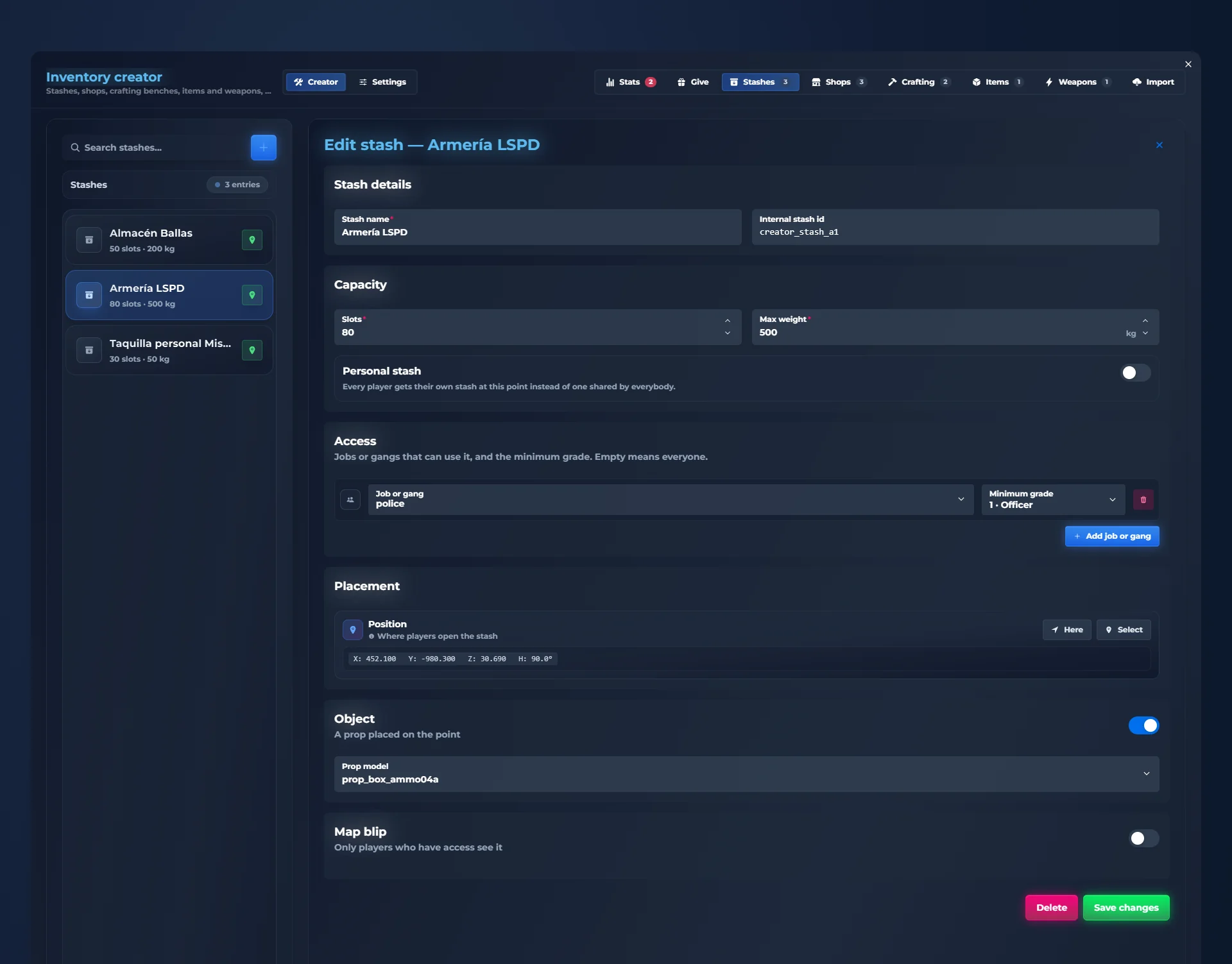
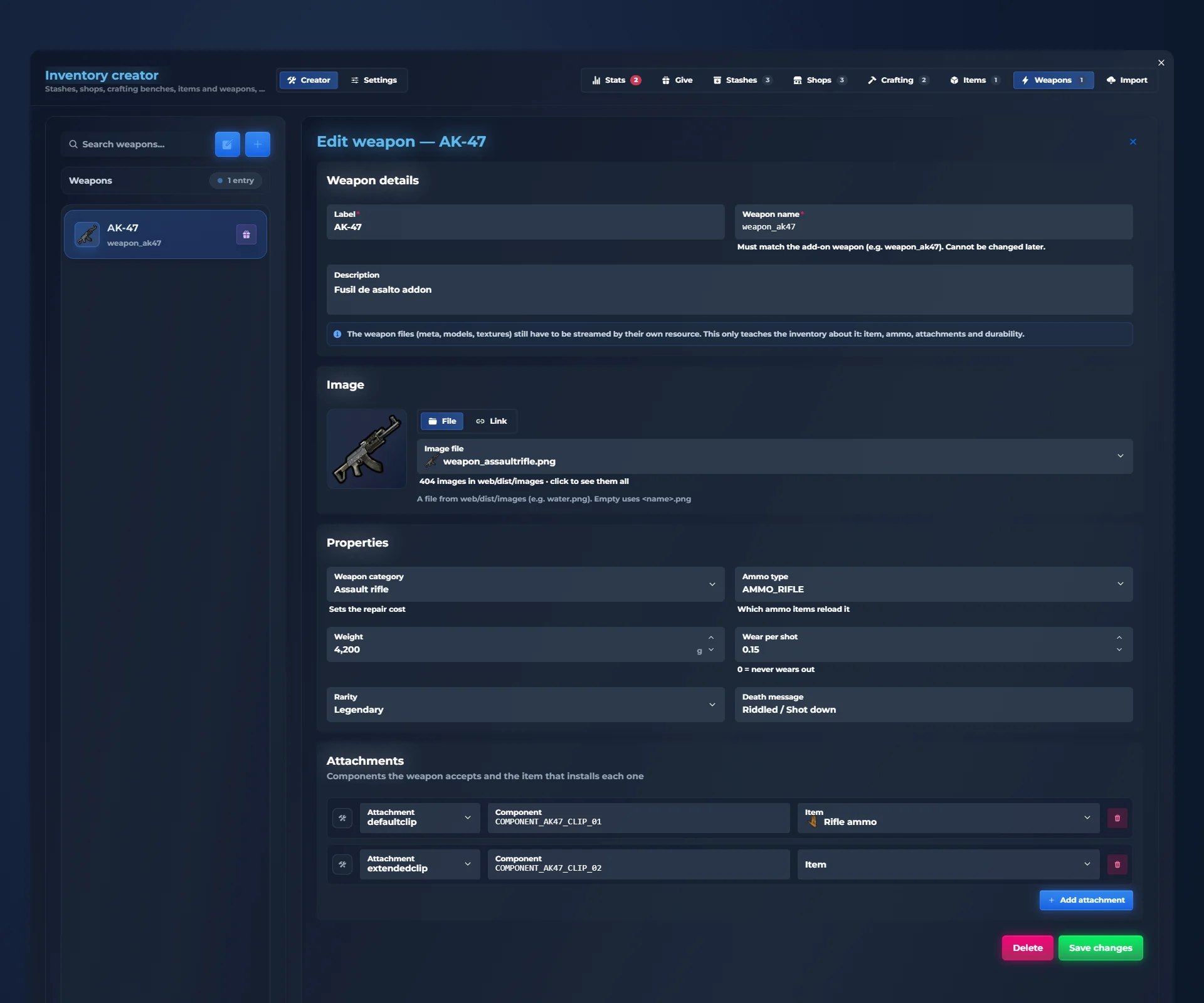
No. qs-inventory has two in-game admin panels: /inventorycreator to create items, weapons, shops, stashes and crafting benches, and /inventoryconfig to change the inventory’s settings. Save, and most changes apply instantly, without restarting the server.
Can I create FiveM shops, stashes and crafting benches in game?
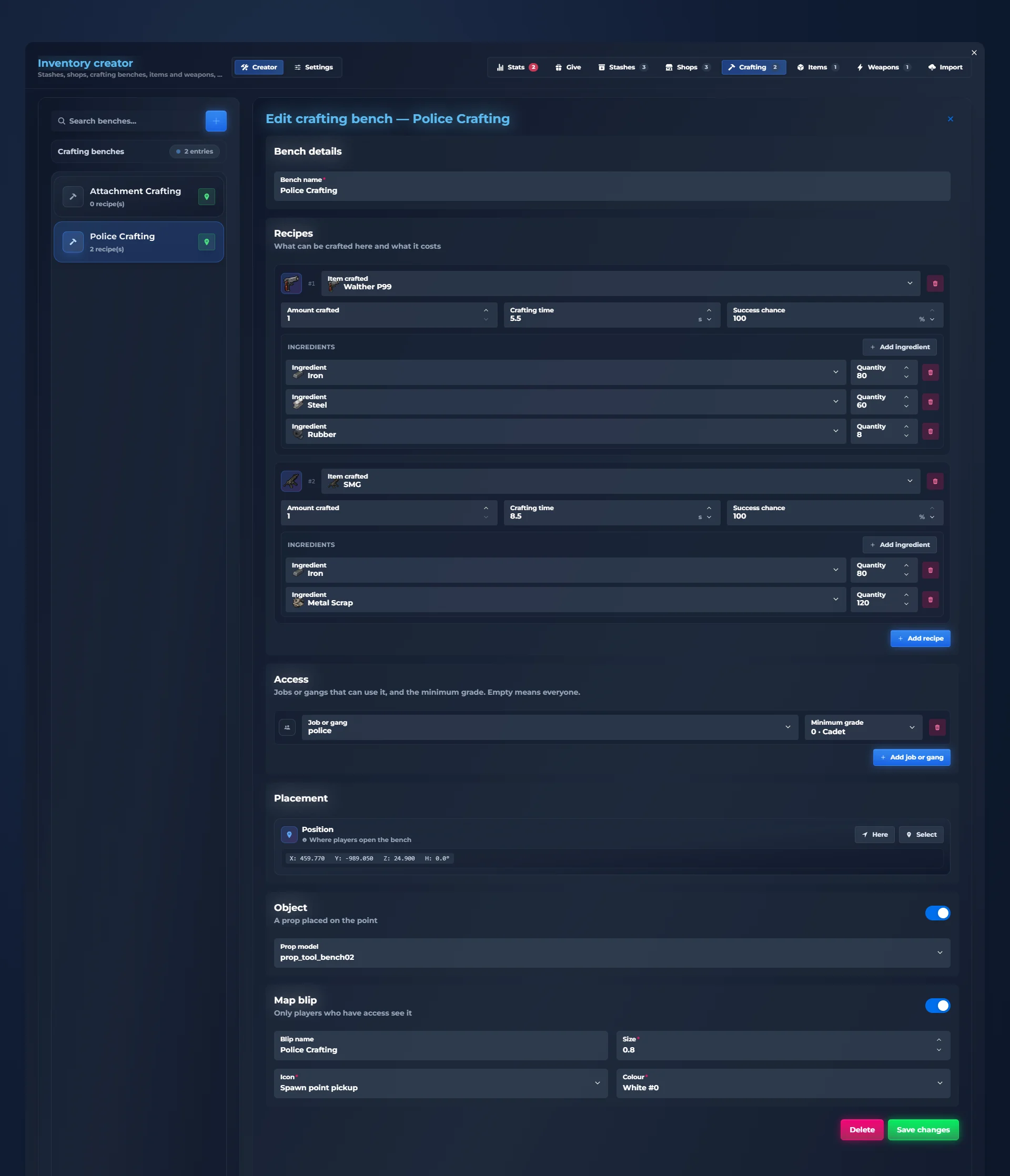
Yes. In /inventorycreator you create shops with prices and limited stock, buyers that pay for players’ items, stashes with their own slots and weight, and crafting benches with recipes, crafting time and success chance. You choose which jobs or gangs can use them, mark the spot where you stand and add a blip.
Does it have weapon attachments, ammo and durability?
Yes. Every weapon has a serial number, loaded ammo and durability that wears as you shoot. The attachments screen shows the weapon in front of you: drag an attachment to fit it and drag it out to remove it. Ammo is an inventory item, weapons can be repaired, and custom tints are painted from your own image.
Are clothes items in qs-inventory?
Yes. Clothing is stored as inventory items: players take clothes off, store them, sell them or give them away, and dress up by dragging each piece onto their character.
Can players trade items safely?
Yes. Player trading has double confirmation: each player puts in their offer, sees the other offer live, and the trade only happens when both confirm.
Can each player customize the inventory?
Yes. From the style studio inside the inventory, each player picks one of 12 complete styles, 8 slot shapes, effects, colours, fonts and sizes, a compact mode for small screens and a performance mode for modest PCs. The server sets the default style.
How many languages does qs-inventory support?
qs-inventory includes 41 languages, with the inventory, the alerts and the admin panels fully translated.
Do items have durability and decay?
Yes. Weapons wear as they are used and food goes off over time. At zero the item is broken or spoiled, and you decide per item how long it lasts and whether it deletes itself.
Does it have a hotbar and a radial wheel?
Yes. The first five slots are the hotbar, used with keys 1 to 5 without opening the inventory, and each player can switch to a GTA-style radial wheel instead.



















 01
01 02
02 03
03 04
04 05
05 06
06 07
07 08
08 09
09


Item alerts and player trading You always know
what happens.
Alerts for what comes in and goes out, required items for your scripts and safe player-to-player trading.
What comes in and goes out
Every time you get, lose or use something, an alert shows the amount. If it repeats, it adds up in the same alert. Each player picks which corner they want it in.
Required items
When a script asks for something (a lockpick to open, a drill to rob…), you see exactly what you need at the bottom.
Someone wants to trade
A card shows who is asking, with a countdown. E accepts, G declines.
Trade with double confirmation
Each player puts in their offer and sees the other offer live. The trade only happens when both confirm.
A trade from start to finish
You drag your repair kit into your offer. Sam puts in two gold bars and confirms. You confirm and the swap happens: the alerts tell you what went out and what came in.
If someone doesn’t confirm, nothing happens: everyone keeps their own.
What comes in and goes out
Every time you get, lose or use something, an alert shows the amount. If it repeats, it adds up in the same alert. Each player picks which corner they want it in.